Your AI assistant can now answer questions about production from your real Atatus data. The Atatus MCP Server connects assistants that support the Model Context Protocol (MCP), such as Claude Code, Cursor, VS Code and Codex CLI, to your APM, logs, traces, Kubernetes, infrastructure and other monitoring data.
Ask in plain English, for example "Why is checkout-service slow this week?", and the assistant calls the right Atatus tools, follows the trail from one result to the next and answers from your account. You stay in your editor instead of clicking through dashboards, filters and stack traces.
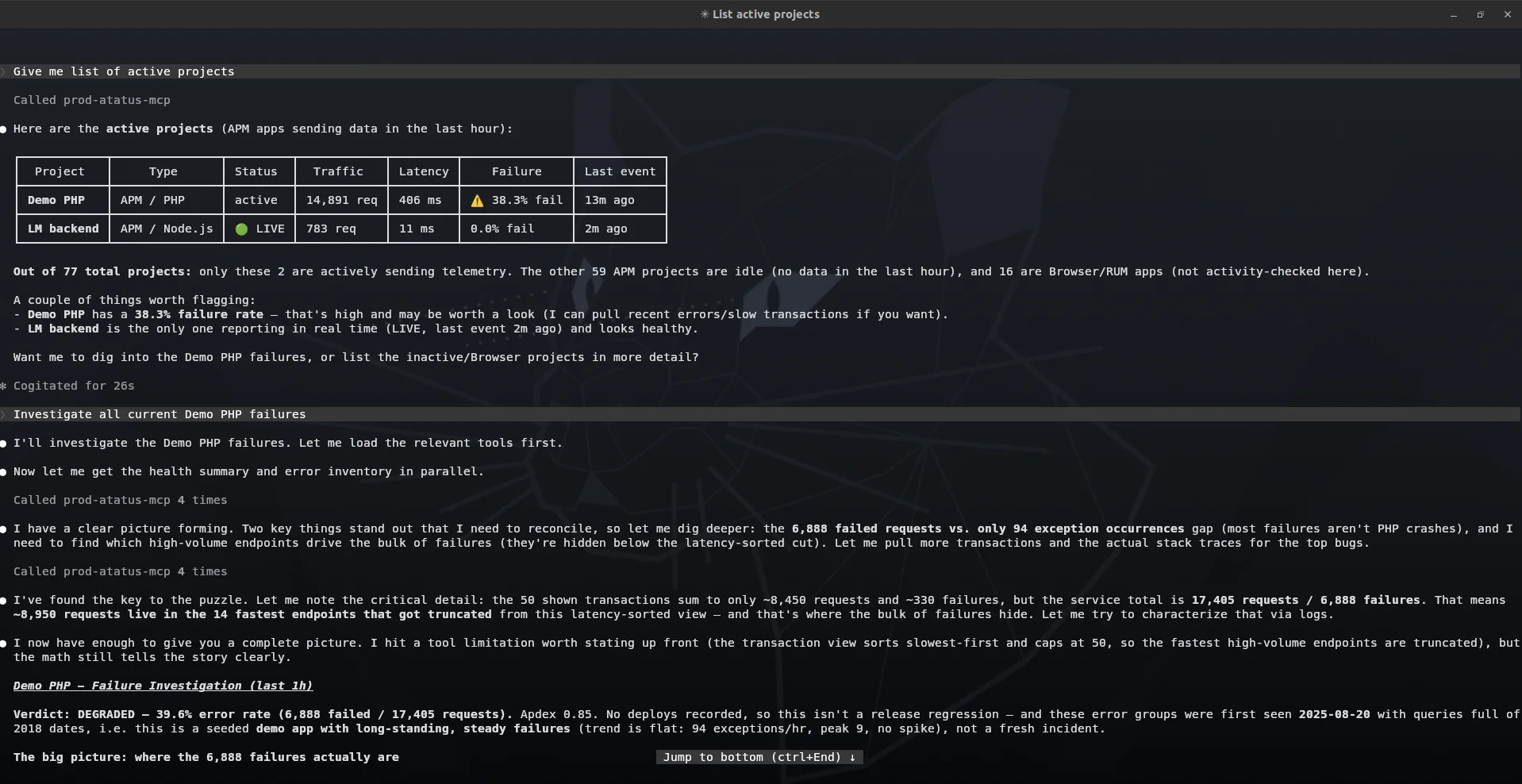
What you can do with the MCP Server
- Ask in plain English: There is no query syntax to learn. Ask the way you would ask a teammate, and the assistant pulls the answer from your Atatus data.
- Cover the whole stack: Tools span APM, browser and mobile monitoring, Kubernetes, infrastructure, logs, distributed traces, databases and uptime checks, all mapped to data you already send to Atatus.
- Debug from your IDE: Your assistant fetches stack traces, log lines, slow traces and recent deployments on demand, so you don't switch tabs or copy and paste.
- Works with the clients you use: The docs include setups for VS Code, Cursor, Antigravity, Claude Code, Antigravity CLI, Codex CLI and Claude Desktop. Any client that supports remote MCP over HTTP can connect.
- Read-only by default: A Read key can query everything and change nothing. The only write action, resolving, ignoring or reopening an error, needs a Read & Write key.
- Hosted, nothing to install: Create an Application Key, add mcp.atatus.com to your client's configuration and ask your first question. The MCP Server docs have the full tool reference and setup guide.